Step-by-step guides you can watch, and three you can listen to
registermysite.com/guides is a set of client walkthroughs. Each one is a slide deck from a real run. HTML Studio, GitHub Desk, and Wrangler also have narration.
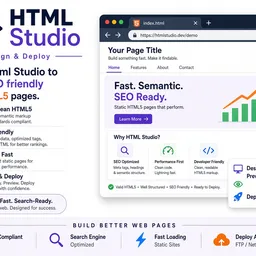
The new client guides live at registermysite.com/guides. The index asks one question: which tool do you need? Each card is a slide deck shot from a real walkthrough, not a feature list.
Open a guide and you get one slide at a time, with previous and next, plus a thumbnail rail so you can jump. The caption under the picture is the job that step does. Three of the decks also have a Narration button, so you can listen to the slide you are on instead of only reading it.
Start with HTML Studio if you do not have a page yet. The other four assume a page, a form, or a bot already exists.
HTML Studio
HTML Studio is 13 slides, and it is narrated. The walkthrough creates an account, picks the Bistro Lumière template, sets the brand, changes the hero heading, adds a visitor counter, saves the project, then publishes it on a zone and opens the live page. The last slide repeats the six steps.
The tool itself is html-studio.registermysite.com.
GitHub Desk
GitHub Desk is 18 slides, and it is narrated. Use it after HTML Studio, when you want the page as files. The deck signs up, picks the Nightshade Tattoo template, renames the brand, adds a Visitor Counter from Widget Studio, and saves the canvas so you get a project id. That id is what you import into a GitHub Desk folder. A template name is not a project id. Later slides cover the free-plan limit, what the imported page looks like, tips, and troubleshooting.
The desk is github.registermysite.com.
Wrangler
Wrangler is 12 slides, and it is narrated. This one is the command line, not another visual editor. The 3 October 2026 walkthrough sends a page from HTML Studio, runs import --studio, checks the files with ls and wc, lists zones, deploys, and opens the live page. One slide is there so you do not mix this up with GitHub Desk.
The terminal is wrangler.registermysite.com.
EdgeForm
EdgeForm is 22 slides. This deck does not have a narration button. It is the inbox path for a static page: sign up, create the form, publish it, style the button and colors, set the notification email, copy the embed, paste it into HTML Studio or any static HTML, submit a test, then read it in the dashboard and in the email. Tips and troubleshooting are at the end.
The app is forms.registermysite.com.
BotForge
BotForge is 21 slides. This deck does not have a narration button either. You sign up, create a bot, theme it, train it on your own text, test an answer, pick the model on the Voice tab, check analytics, deploy, and copy one snippet. The snippet goes on any site, including through Insert Chatbot in HTML Studio. The account page lists every page the bot is installed on.
The builder is botforge.registermysite.com.
Which one to open
If the page does not exist, open the HTML Studio guide. If the page exists and you want the files in a visual editor, open GitHub Desk. If you want the same job from a terminal, open Wrangler. If you only need messages in your inbox, open EdgeForm. If you want a chatbot that answers from your own content, open BotForge.
The index also answers the usual follow-ups: how to share a custom template (publish the static HTML and send the live URL, or put that URL behind a short link at links.registermysite.com), and how GitHub Desk, Wrangler, and EdgeForm split the work.--- title: "Step-by-step guides you can watch, and three you can listen to" description: "registermysite.com/guides is a set of client walkthroughs. Each one is a slide deck from a real run. HTML Studio, GitHub Desk, and Wrangler also have narration." pubDate: 2026-10-03 tags: ["guides"] featured: false readingMinutes: 5 heroImage: "/blog-placeholder-1.jpg" heroAlt: "Default RegisterMySite Journal cover image" ---
The new client guides live at registermysite.com/guides. The index asks one question: which tool do you need? Each card is a slide deck shot from a real walkthrough, not a feature list.
Open a guide and you get one slide at a time, with previous and next, plus a thumbnail rail so you can jump. The caption under the picture is the job that step does. Three of the decks also have a Narration button, so you can listen to the slide you are on instead of only reading it.
Start with HTML Studio if you do not have a page yet. The other four assume a page, a form, or a bot already exists.
HTML Studio
HTML Studio is 13 slides, and it is narrated. The walkthrough creates an account, picks the Bistro Lumière template, sets the brand, changes the hero heading, adds a visitor counter, saves the project, then publishes it on a zone and opens the live page. The last slide repeats the six steps.
The tool itself is html-studio.registermysite.com.
GitHub Desk
GitHub Desk is 18 slides, and it is narrated. Use it after HTML Studio, when you want the page as files. The deck signs up, picks the Nightshade Tattoo template, renames the brand, adds a Visitor Counter from Widget Studio, and saves the canvas so you get a project id. That id is what you import into a GitHub Desk folder. A template name is not a project id. Later slides cover the free-plan limit, what the imported page looks like, tips, and troubleshooting.
The desk is github.registermysite.com.
Wrangler
Wrangler is 12 slides, and it is narrated. This one is the command line, not another visual editor. The 3 October 2026 walkthrough sends a page from HTML Studio, runs import --studio, checks the files with ls and wc, lists zones, deploys, and opens the live page. One slide is there so you do not mix this up with GitHub Desk.
The terminal is wrangler.registermysite.com.
EdgeForm
EdgeForm is 22 slides. This deck does not have a narration button. It is the inbox path for a static page: sign up, create the form, publish it, style the button and colors, set the notification email, copy the embed, paste it into HTML Studio or any static HTML, submit a test, then read it in the dashboard and in the email. Tips and troubleshooting are at the end.
The app is forms.registermysite.com.
BotForge
BotForge is 21 slides. This deck does not have a narration button either. You sign up, create a bot, theme it, train it on your own text, test an answer, pick the model on the Voice tab, check analytics, deploy, and copy one snippet. The snippet goes on any site, including through Insert Chatbot in HTML Studio. The account page lists every page the bot is installed on.
The builder is botforge.registermysite.com.
Which one to open
If the page does not exist, open the HTML Studio guide. If the page exists and you want the files in a visual editor, open GitHub Desk. If you want the same job from a terminal, open Wrangler. If you only need messages in your inbox, open EdgeForm. If you want a chatbot that answers from your own content, open BotForge.
The index also answers the usual follow-ups: how to share a custom template (publish the static HTML and send the live URL, or put that URL behind a short link at links.registermysite.com), and how GitHub Desk, Wrangler, and EdgeForm split the work.
Put this on a real domain
Search a name, ship a static site, and wire business email without leaving RegisterMySite.
Comments
No approval queue. Be decent. 5 comments per visitor per post.