Explaining the Deploy to Cloudflare button
How to create a Deploy to Cloudflare button and use it like a pro. Ship code by the click of a button.
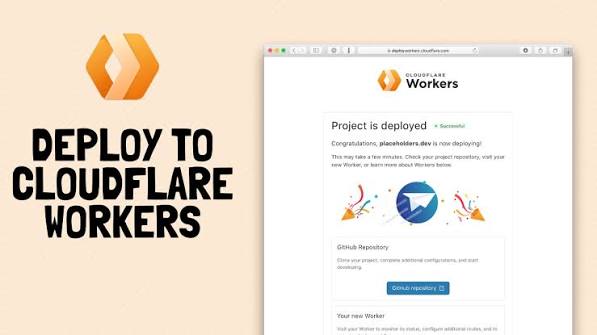
A README that says “clone this, install Node, create a KV namespace, paste three IDs into wrangler.toml, then deploy” is a README most people never finish.
The Deploy to Cloudflare button is the opposite of that. You put one image link in a README, a docs page, or a blog post. Someone who has never opened your repo clicks it, signs into GitHub and Cloudflare, and walks away with a running Worker on their own account. The source lands in their GitHub. Future pushes rebuild on their behalf. You never hand them a terminal session.
This is how you store code on GitHub and let other people ship it.
What the button actually does
The official button is hosted by Cloudflare at deploy.workers.cloudflare.com. It is not a generic “open this repo” badge. Clicking it starts a guided install that:
Clones your public GitHub or GitLab repository into the clicker’s own GitHub or GitLab account.
Opens a setup page where they can rename the new repo, the Worker, and any resources your Wrangler config declares.
Reads wrangler.json / wrangler.toml and provisions what the app needs — KV, D1, R2, Durable Objects, Queues, Vectorize, Hyperdrive, Workers AI, Secrets Store bindings.
Writes the new resource IDs back into the cloned Wrangler file so the bindings resolve on their account.
Builds with Workers Builds and deploys to the Cloudflare network.
Turns on CI: every later push to the production branch rebuilds and redeploys. Pull requests get preview URLs as comments.
The only human step after the click is logging in. If you set the repo up correctly, there is no “now run these eight commands.”
Markdown for the button:
HTML if you are embedding it on a site that is not Markdown:
<a href="https://deploy.workers.cloudflare.com/?url=https://github.com/YOUR_ORG/YOUR_REPO"> <img src="https://deploy.workers.cloudflare.com/button" alt="Deploy to Cloudflare" /> </a>
You can point url at a subdirectory (…/tree/main/apps/api) when the Worker lives in a folder. That folder must be self-contained. Cloudflare treats it as the root of the new repository it creates.
If you already ship the project with Workers Builds, the dashboard also has a share control on the Worker that copies this same snippet.
What the clicker sees
From the other side of the button, the path looks like this.
Sign in to Git. Cloudflare needs permission to create a repository on their GitHub or GitLab account. This is the copy they will own and edit. Your original repo stays yours.
Sign in to Cloudflare. They authorize the account that will host the Worker. A free account is enough for most templates. Paid features only matter if your app actually uses them.
Name the project. One setup screen. Repository name, Worker name, and names for any storage or compute bindings. Those names are written into the cloned Wrangler config.
Watch the first build. Workers Builds installs dependencies, runs your build script if you defined one, then runs your deploy script (or npx wrangler deploy if you did not). Required resources are created and bound before the Worker goes live.
Use the live URL. They get a *.workers.dev hostname immediately. Custom domains attach later in Workers & Pages settings.
Keep shipping. A push to main (or whatever production branch they picked) rebuilds. A pull request gets a preview URL. They never re-click the button to update their own copy.
That is the product you are offering when you paste the badge: a fork they own, resources they own, and a deploy pipeline that keeps working after you walk away.
How to set this up so the button works without you
The button is only as automatic as the repository behind it. Treat the following as a checklist, not optional polish.
- Put the Worker in a public GitHub or GitLab repo
Private repositories are not supported. Self-hosted GitHub/GitLab is not supported. Bitbucket is not supported. Pages projects are not supported — this button is for Workers.
Make the repo public before you advertise the button. If someone clicks a private URL, the installer cannot clone it.
A clean public layout looks like this:
your-app/ src/index.ts wrangler.json package.json package-lock.json README.md .dev.vars.example
Commit the lockfile. The clicker’s first build should resolve the same versions yours did.
- Describe the Worker in Wrangler, not in a wiki
Cloudflare reads the Wrangler file to decide what to provision. Put real bindings there with placeholder IDs. After the clicker deploys, Cloudflare replaces those IDs with resources created on their account.
{ "name": "your-app", "main": "src/index.ts", "compatibility_date": "2026-09-01", "compatibility_flags": ["nodejs_compat"], "vars": { "APP_ENV": "production" }, "kv_namespaces": [ { "binding": "CACHE", "id": "00000000000000000000000000000000" } ], "d1_databases": [ { "binding": "DB", "database_name": "your-app-db", "database_id": "00000000000000000000000000000000" } ], "durable_objects": { "bindings": [ { "name": "APP", "class_name": "App" } ] }, "migrations": [ { "tag": "v1", "new_sqlite_classes": ["App"] } ] }
Use binding names, not hard-coded account-specific IDs, anywhere a script refers to a resource. If a D1 migration command says wrangler d1 migrations apply my-personal-db-name --remote, it will fail on someone else’s account. If it says wrangler d1 migrations apply DB --remote, it follows the binding they just named.
- Put the build and deploy steps in package.json
This is the part that removes the human from the loop.
Workers Builds looks at package.json when it configures the first deploy:
If it finds a build script, that becomes the build command.
If it finds a deploy script, that becomes the deploy command.
If there is no deploy script, it falls back to npx wrangler deploy.
If there is no build script, the build field stays empty — fine for an unbundled Worker that Wrangler compiles itself.
Write the scripts as if a machine will run them with zero extra flags.
{ "name": "your-app", "private": true, "scripts": { "dev": "wrangler dev", "build": "npm run build:assets", "build:assets": "node ./scripts/build-assets.mjs", "deploy": "npm run db:migrate && wrangler deploy", "db:migrate": "wrangler d1 migrations apply DB --remote" }, "devDependencies": { "wrangler": "^4.0.0" } }
Rules that keep first builds green:
npm install must succeed from a clean checkout. Do not depend on global CLIs the clicker does not have. Call wrangler via the local package or npx.
The deploy script should include migrations, asset generation, and anything else that has to happen before the Worker is live. If you leave that out, the Worker deploys and then 500s because the schema was never applied.
Do not prompt. No interactive wrangler login inside the script. The button already authenticated the account.
Pin or lock Wrangler so a surprise major version does not change deploy behavior the week after you publish the badge.
If the app is TypeScript-only and Wrangler compiles it, you can skip build and keep deploy as wrangler deploy.
You can also document bindings for the setup UI inside package.json. Cloudflare surfaces those descriptions on the configure screen:
{ "cloudflare": { "bindings": { "API_KEY": { "description": "API key for the upstream service. Create one at the vendor dashboard." }, "COOKIE_SIGNING_KEY": { "description": "Random secret. Generate with openssl rand -hex 32." } } } }
Inline markdown works in those descriptions: links, code, bold.
- Declare secrets without committing secrets
Worker secrets belong in .dev.vars.example or .env.example, not in git.
COOKIE_SIGNING_KEY=replace-me ADMIN_PASSWORD=replace-me
The installer can collect values and store them as secrets on the new Worker. Never commit a live token. Never assume the clicker will discover an undocumented env var after the first 500.
- Keep the README honest
The README is part of the installer. Put the button at the top. Then say, in this order:
What they get after the click (URL shape, default login, first thing to change).
What they must type themselves (secrets, a domain).
What they should not do (leave the sample admin password, point production at placeholder IDs).
If a step is required after deploy — rotate a default password, upload a logo, attach a custom domain — write it as a numbered list under the button. The button cannot invent those steps for you.
- Test the button on a clean account
Use a second GitHub user and a second Cloudflare account. Click your own badge. If the first build fails, the public internet will fail the same way.
Common breaks:
Repo is private.
Wrangler file lives in a monorepo parent and the Worker is not isolated in the subdirectory you linked.
deploy script references a database name that only exists on your account.
Missing lockfile, so npm install resolves a breaking Wrangler.
Build needs a secret that was never declared.
Pages-only project. The button will not deploy a Pages site.
Monorepos are the sharp edge. Cloudflare does not fully support them. If you have two Workers in one repo, publish two buttons, each with its own subdirectory URL, and make each subdirectory installable on its own.
Example: WaveCast on one click
WaveCast is a Cloudflare-native podcast site: public player, RSS, comments, and an admin console, running as a Worker plus a Durable Object with SQLite. No separate D1, R2, or KV. The public repo is the source of truth. The button is how someone else stands up their own copy.
Click that, sign in, and Cloudflare clones RegisterMySite-com/WaveCast-Podcast into your Git account, provisions the Worker and Durable Object from wrangler.json, and deploys. After that, you own the show. How WaveCast itself works — player, feed, admin, analytics — is a separate post.
Why this is worth doing as a developer
You stop being the install guide. Templates die when the first command is “create these resources in the dashboard, then paste the IDs.” The button performs that ceremony. You spend README space on what the product does.
Every clicker gets a repo they can change. This is not a hosted demo on your account. They get source, bindings, and CI. That is how an open template becomes a private product without a sales call.
Updates are a git problem, not a support problem. They pull your changes, or they do not. Preview URLs on pull requests mean they can test a patch before it hits their production Worker.
Demos become real. Conference talks, docs, and blog posts can ship a running app instead of a screenshot. “Deploy this” is a stronger sentence than “imagine this.”
Onboarding cost drops for your own team. A new teammate clicks the same badge you give to strangers. They get a sandboxed Worker on a throwaway account in minutes.
You still control the original. Their clone is a snapshot plus whatever they commit later. You keep publishing to the public source. You are not granting them write access to your repo.
The tradeoff is discipline. A public Worker with sloppy secrets, a half-written Wrangler file, or a deploy script that only works on your laptop will fail in public, at scale, with your name on the badge. The button does not forgive a private repo and it does not invent a build step you forgot to write down.
A short owner’s runbook
Build the Worker until npx wrangler deploy works from a fresh clone on a different machine.
Move every required resource into Wrangler bindings. Use binding names in scripts.
Add build and deploy to package.json so Workers Builds can run unattended.
Commit package-lock.json and a .dev.vars.example.
Make the GitHub or GitLab repository public.
Paste the button snippet with the canonical https://github.com/org/repo URL.
Click it from a second account. Fix whatever the first build logs.
Write the three post-deploy steps a human still has to do.
Do that once. Afterward, “how do I run this?” is a button, a login, and a live URL.
Put this on a real domain
Search a name, ship a static site, and wire business email without leaving RegisterMySite.
Comments
No approval queue. Be decent. 5 comments per visitor per post.